 Ceramic
给 Mastodon,
留一点空间。
A little room
for Mastodon.
一款轻巧的 Mastodon 桌面客户端。连接你的账号,探索 Fediverse。 A lightweight Mastodon client for your desktop. Connect your account and explore the Fediverse.
macOS · Windows · Linux · 免费开源macOS · Windows · Linux · Free and open source
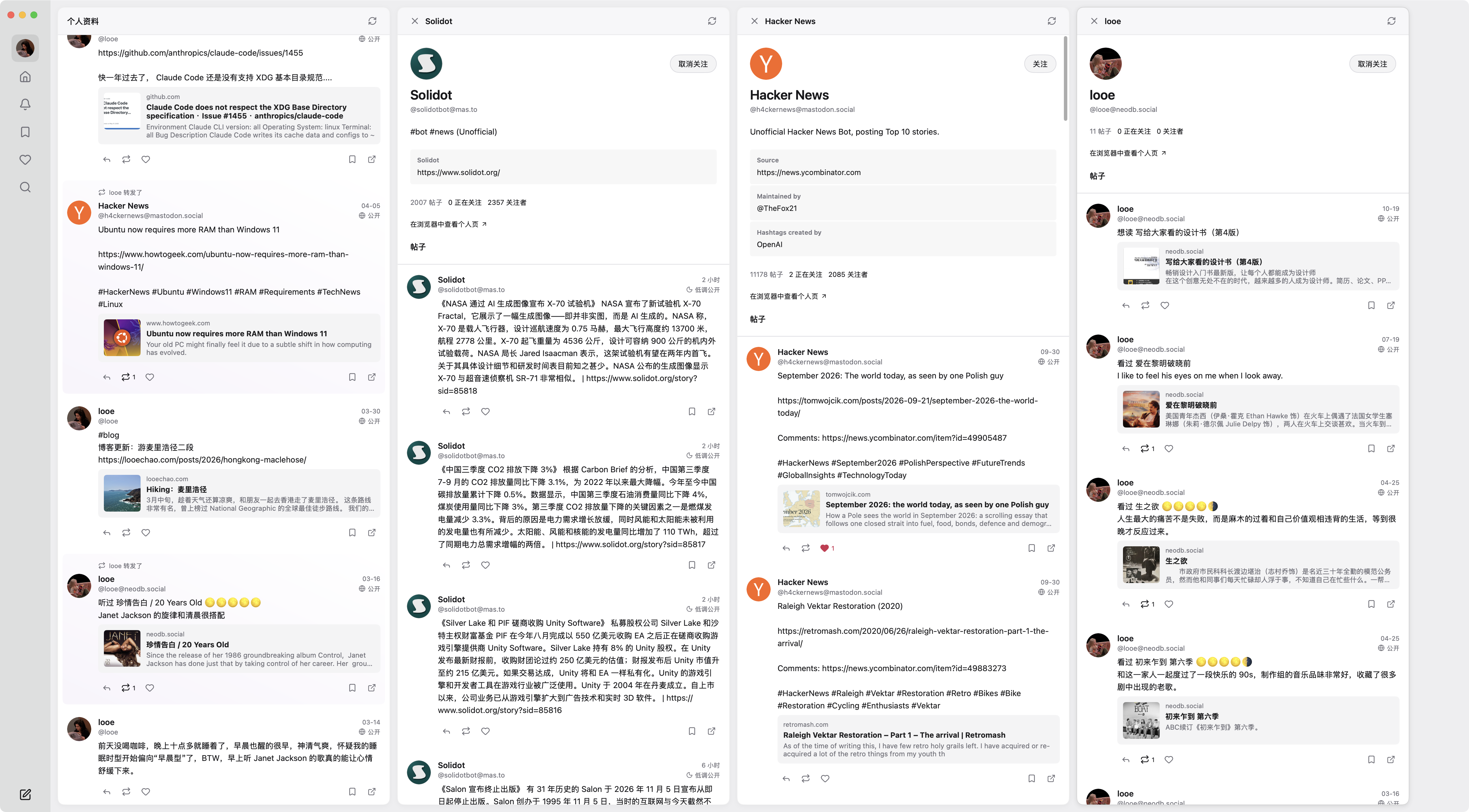
横向展开Sideways columns
打开一列,接着往下读。Open a column. Keep reading.
点开帖子或个人页,新的一列会出现在右边。之前的内容和阅读位置都留在原处,想回去时随时可见。 Open a post or profile and a new column appears to the right. Your earlier columns stay in place, ready whenever you want to return.
纯原生Fully native
为桌面而做。Made for the desktop.
Ceramic 使用原生绘制的界面,没有内嵌网页。它轻巧,也能跟随系统切换浅色和深色外观。 Ceramic draws its interface natively, without an embedded web page. It is lightweight and can follow your system’s light or dark appearance.
macOS 安装包。比一张手机照片还小。The macOS download. Smaller than a phone photo.
WebView、HTML 页面或 JS。每个像素都是原生组件画的。WebViews, HTML pages or JS. Every pixel comes from native components.
空闲时的 CPU。不看的时候,它就安静待着。CPU while idle. When you look away, it sits still.
测于 Apple Silicon Mac,Ceramic 0.1.0,时间线加载完成后静置。Measured on an Apple Silicon Mac with Ceramic 0.1.0, idle after the timeline loaded.
带上你的 Mastodon 账号。Bring your Mastodon account.
连接你的 Mastodon 账号,探索 Fediverse。在浏览器中授权后即可开始。Ceramic 直接连接你的实例,访问令牌保存在你的电脑上。 Connect your Mastodon account and explore the Fediverse. Authorize in your browser to get started. Ceramic connects directly to your instance and stores your access token on your computer.
查看所有下载View all downloads
macOS(Apple Silicon 与 Intel)· Windows · Linux(需要 GTK 3)
尚未签名:macOS 首次打开需在“系统设置 › 隐私与安全性”中允许。
macOS (Apple Silicon and Intel) · Windows · Linux (needs GTK 3)
Not yet signed: on first launch, allow it in System Settings › Privacy & Security.